Dynavin 10 Premium for Renault with Wireless CarPlay and Android Auto, Real-Time Traffic Alerts
Upgrade your Renault with the new Dynavin 10 Premium featuring wireless CarPlay, Android Auto and real-time Blitzer.de PRO traffic alerts via Dynavin Connect. High-power digital amplifier. Easy DIY install with trusted German engineering.

DS-RN-1
Dynavin Slim 9 inch car radio for Renault Master, Opel Movano
from 399,00 €

D10-RN-1 Plus - C
9 inch navigation system for Renault Master, Opel Movano, Nissan NV400
from 799,00 €

DS-RN2020
Dynavin Slim 9 inch car radio for Renault Opel Nissan since 2019
from 399,00 €

D10-RN2020 Plus - C
9 inch navigation system for Renault Opel Nissan since 2019
from 799,00 €

DS-RNTRF
Dynavin Slim 10.1-inch car radio for Renault Trafic III 2014-2021
from 299,00 €

D10-RNTRF Premium
10.1 inch navigation system for Renault Trafic III 2014-2021
from 649,00 €

D9-DAC Premium Flex
8 inch navigation system for Dacia Sandero / Duster / Renault Captur
from 299,00 €

D10-DAC Premium
8 inch navigation system for Dacia Sandero / Duster / Renault Captur
from 649,00 €

DS-KG21
Dynavin Slim 10.1 inch car radio for Renault Trafic/Kangoo since 2021
from 299,00 €

D10-KG21 Premium
10.1 inch navigation system for Renault Trafic/Kangoo since 2021
from 649,00 €
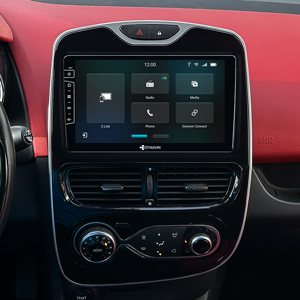
DS-RNCL
Dynavin Slim 9 inch car radio for Renault Clio IV 2014-2020
from 299,00 €

D10-RNCL Premium
9 inch navigation system for Renault Clio IV 2014-2020
from 649,00 €

D9-RNCL5 Premium Flex
10.1 inch navigation system for Renault Clio V 2020-2025
from 299,00 €

D10-RNCL5 Premium
10.1 inch navigation system for Renault Clio V 2020-2025
from 649,00 €
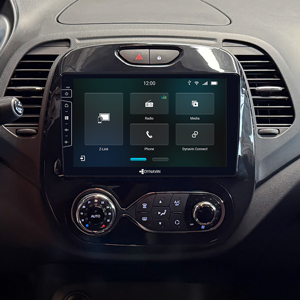
DS-RNCAP
Dynavin Slim 9 inch car radio for Renault Capture 2013-2019
from 299,00 €

D10-RNCAP Premium
9 inch navigation system for Renault Captur 2013-2019
from 649,00 €


